Introduction
Anyone who has spent time around a maintenance team knows the job rarely happens at a desk. It happens on ladders, in loud mechanical rooms, under machines that were probably built before smartphones existed. So it says something that most maintenance software still gets designed like the person using it is sitting still. We have watched this disconnect play out again and again with different clients, and it usually comes down to the same root issue: the tools were built for reporting, not for the actual work. This piece is our attempt to lay out, honestly, what to look for if you want a tool that respects how maintenance really happens.
Why Mobile Actually Matters Here
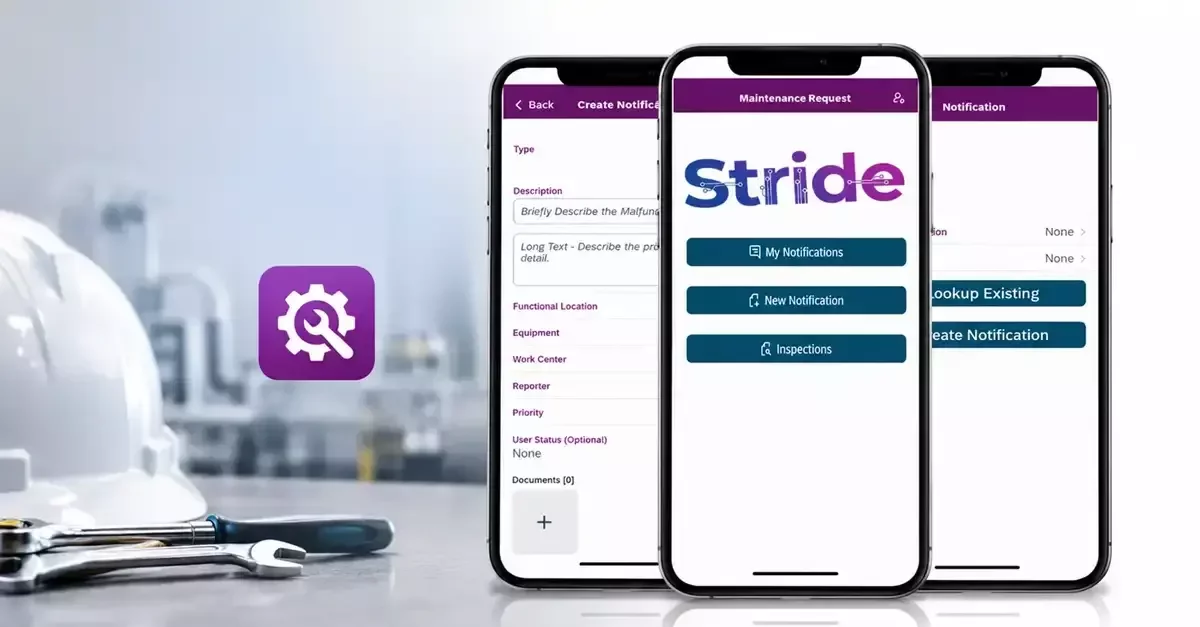
There is a particular kind of frustration that comes from finishing a repair, walking fifteen minutes back to an office, and only then being able to close out the work order. Multiply that by a dozen technicians and a few hundred assets, and you start to see hours disappear every week for no good reason. A mobile maintenance solution fixes this, not by adding some flashy feature, but by simply letting people do the paperwork where the work actually happens. It sounds almost too obvious to write down, yet a surprising number of organizations are still running on tools that assume everyone has a desktop nearby.
The Features Worth Actually Caring About
We tend to steer people away from feature checklists because half of what vendors list barely matters day to day. That said, a few things consistently separate the tools people love from the ones they tolerate:
● Real-time updates so nobody is working off stale information.
● Barcode or QR scanning, because typing in an asset ID from memory is how mistakes happen
● The ability to attach a photo or short video, since some problems are much easier to show than describe
● Notifications that flag urgent issues without burying technicians in noise
● An interface simple enough that a new hire can figure it out in an afternoon, not a week
None of these are groundbreaking on their own, but stack them together, and you get a tool people actually want to open, not one they route around the moment things get busy.
The Offline Problem Nobody Talks About Enough
Here is something we learned the hard way through client feedback rather than any product spec sheet: connectivity in industrial environments is unreliable in ways office workers rarely experience. Thick concrete walls, basements, remote sites; all of it kills signal. If your mobile app for SAP asset maintenance falls apart the moment a technician steps into a low-signal zone, you have basically built a tool with a hidden expiration date built into every shift. Good offline support means work keeps getting logged regardless, then quietly syncs once a connection returns. It is unglamorous, but it is the difference between a tool people trust and one they quietly give up on.
Integration Is Not Optional, Even Though It Gets Treated That Way
A lot of teams already run SAP for their asset management, and understandably so; it is deeply embedded in how large operations function. But we have seen too many mobile tools bolted onto SAP as an afterthought, creating a second system that never quite matches the first. Data gets entered twice, numbers drift apart, and eventually nobody fully trusts either system. Real integration means information flows in both directions without someone manually reconciling spreadsheets at the end of the week. It is not the most exciting feature to market, but it is often the one that determines whether a rollout actually succeeds.
Simplicity and Security, Which Should Never Compete
There is an old assumption in enterprise software that security has to come at the cost of usability. We do not buy that, and honestly, neither should you. Technicians should be able to log in, find what they need, and get moving without a training manual. At the same time, role-based access and solid authentication need to be there quietly in the background, protecting data without getting in anyone's way. The best tools manage both without making a big deal out of either.
What This Comes Down To
None of this is about chasing the flashiest app on the market. It is about finding something that fits how your specific team actually operates, warts and all. At Stride Software Solutions, we have built our approach around that idea, spending real time on the floor with maintenance crews before writing a single line of code, because software built in isolation from the work it is meant to support rarely holds up.
Conclusion
If your current process is held together with paper, memory, and good intentions, we would genuinely like to hear about it. Reach out to us and let us figure out, together, what a smarter maintenance workflow could look like for your team.