
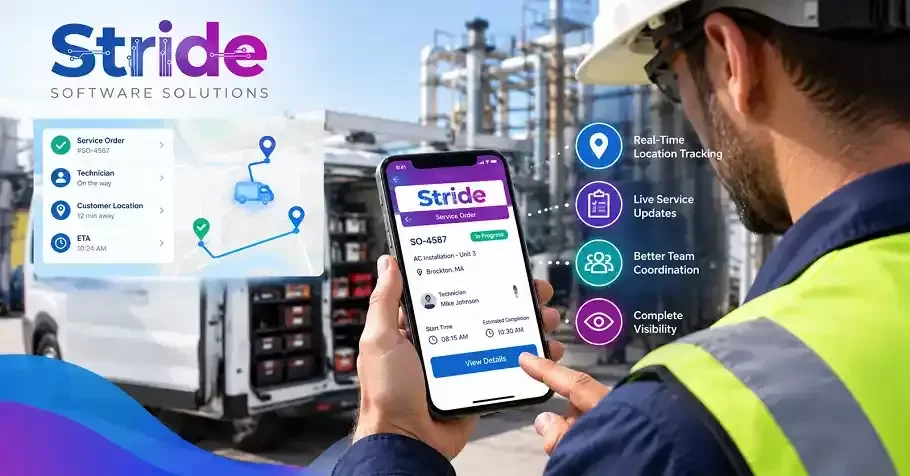
A dispatcher gets a call from a customer asking where the technician is. She checks the system, but the last update is from yesterday. The technician may have finished the job, may be stuck waiting on a part, or may still be driving. Nobody knows, and the customer is waiting. This gap between the field and the office is where service quality quietly slips. SAP mobile service order software closes it by putting live order status in every hand, from the dispatcher to the person on site.
Add an SAP offline work order app and the updates keep flowing even when signal drops. This blog covers what visibility really means in field service and how to get it.
What Visibility Means in Field Service
Visibility is simple to describe. At any moment, anyone who needs to know can see which jobs are open, who is working them, and what has been done so far. Most teams think they have this. In practice, they have fragments: a spreadsheet here, a phone call there, a note in someone's truck. Real visibility means one version of the truth that updates as the work happens.
Why the Office and the Field Drift Apart
Information moves slowly when it depends on people. A technician finishes a job, then waits until the end of the day to report it. A dispatcher fills the gap with guesses. Customers get vague arrival windows, and planners reschedule around data that is already old. None of this comes from laziness. It comes from tools that make reporting harder than the work itself.
How SAP Mobile Service Order Software Changes the Picture
The idea is straightforward. Service orders from SAP appear on the technician's phone or tablet, complete with customer details, equipment history, and task instructions. As the technician accepts, travels, starts, and finishes, each step updates the order. The office sees progress in near real time. Nobody has to call to ask. SAP mobile service order software turns status updates into a byproduct of the work instead of a separate chore.
Smarter Dispatching With Live Status
Dispatch works best when the dispatcher knows who is free, who is running late, and who is closest. Live order status gives that picture. When an urgent call arrives, the dispatcher can reassign the right technician in minutes instead of working through a list of phone calls. Travel time drops, response times improve, and customers get more accurate promises. Fewer wasted trips also mean lower fuel costs.
Why Offline Access Matters So Much
Field work happens in basements, plant rooms, rural roads, and wind farms. Signal is unreliable in all of them. An SAP offline work order app stores the orders on the device, lets the technician keep working, and syncs everything once a connection returns. Without that, visibility has holes exactly where the work is hardest, and technicians fall back on paper.
What Gets Captured on Site
A good order record is more than a status. Technicians can log time, parts used, readings, photos, and customer signatures while still at the equipment. That detail used to arrive days later, if it arrived at all. Now it reaches the back office the same day, which makes billing faster and disputes easier to settle with proof in hand.
Better Conversations With Customers
Customers rarely mind a delay they understand. What frustrates them is silence. When the office can see the exact status of a job, staff can give honest answers on the first call. They can say the technician is on the way, waiting on a part, or finishing up. Clear answers build more trust than perfect schedules ever could.
Fixing Problems Before They Grow
Visibility also helps managers spot patterns. If the same equipment keeps generating repeat visits, the order history shows it. If one region runs behind every week, the data points to the cause. Instead of reacting to complaints, supervisors can step in early, adjust staffing, and plan preventive work where it matters most. Small trends become visible long before they turn into expensive problems.
Keeping Technicians on Board
Tools that watch people feel like surveillance. Tools that save effort feel like help. Frame the rollout around less typing, fewer calls, and quicker closeouts. Keep screens clean and limit required fields to what the office really needs. When technicians see their day getting easier, accurate updates become habit, and visibility follows without pressure.
What to Ask Before You Choose a Solution
Start with integration. The SAP mobile service order software you pick should connect cleanly to your SAP system, so data flows both ways without manual fixes. Test offline behavior on real devices in real locations. Check how conflicts are handled when two people edit the same order. Ask how much the screens and workflows can be adjusted, and what support looks like after go-live. These answers separate a pilot that thrives from one that fades.
Conclusion
Field service runs better when the office and the field share the same facts. SAP mobile service order software makes that possible, and an SAP offline work order app keeps those facts accurate wherever the job takes your team.
At Stride Software Solutions, we build mobile apps for SAP Plant Maintenance and Field Service, so our work starts with how your technicians spend their day. If you want SAP mobile service order software or an SAP offline work order app that gives your team clear visibility, we are ready to help.