
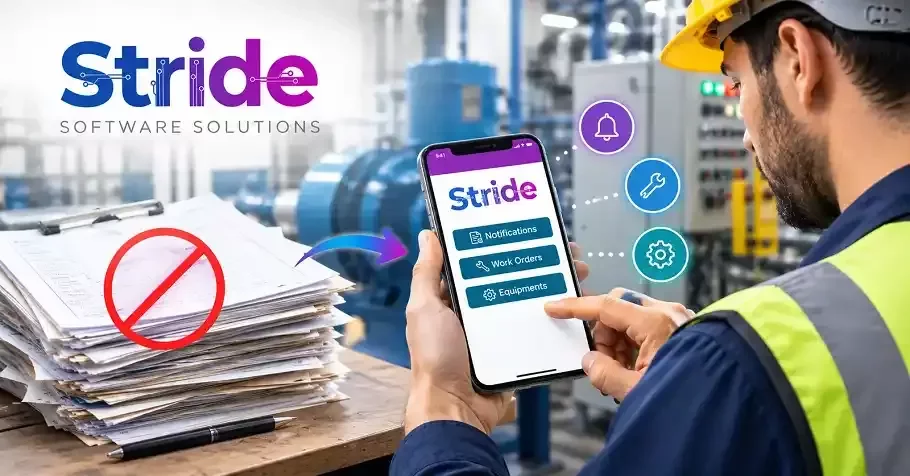
A technician finishes a repair at 3 pm, then spends the next hour writing it up. Notes go on a clipboard, the clipboard rides around in a truck, and someone retypes everything into SAP the next morning. Mistakes slip in, parts go unrecorded, and planners work with stale information. Most teams have accepted this loop as normal, even though it eats hours every week. It does not have to stay that way. A SAP PM mobile application lets technicians open, update, and close work orders right where the job happens, so the paper trail shrinks.
Here is where the paperwork comes from, how SAP PM mobile removes it, and what to check before you choose a solution.
Where Maintenance Paperwork Actually Comes From
Most of it starts with good intentions. Work orders get printed so technicians have instructions in hand. Checklists, safety notes, and material lists get stapled on. After the job, someone has to record labor hours, parts used, and findings. Every handoff adds another form, and every form adds another chance for a typo. The paper itself is rarely the real problem. The retyping behind it is, and that is the part software can remove.
What a SAP PM Mobile Application Does Differently
It puts your SAP Plant Maintenance data on a phone or tablet. Technicians see assigned orders, equipment history, and task steps without walking back to an office terminal. They enter results as they work, and the information flows straight into SAP. One entry replaces three. That single change removes most of the clerical load that slows a maintenance team down, and it frees people to spend more of the day actually fixing equipment.
Work Orders Without the Printouts
A printed work order is outdated the moment priorities shift. A mobile order updates when the planner changes it. If a job is reassigned or a safety note is added, the technician sees it on the next sync. Nobody hunts for a missing page or works from last week's version. Planners also stop chasing paper to confirm what actually happened on site, since the answer is already in the system. That alone saves a surprising number of phone calls.
Fewer Errors and Cleaner Data
Handwriting gets misread. Numbers get flipped. Notes written in a hurry at the end of a shift lose half their detail. When technicians type or select entries on the spot, the record is fresher and more accurate. A well-built SAP PM mobile setup can also use dropdowns and required fields, which keeps entries consistent from one technician to the next and makes reports far easier to trust.
Faster Closeouts and Better Planning
Paper delays closure. Orders sit in a pile until someone has time to enter them, and costs show up late. With mobile confirmation, orders can be closed the same day. Finance sees real labor and material numbers sooner, and planners can schedule repeat work using fresh history instead of guesses. Good planning depends on timely records, and mobile entry supplies them without extra effort from the field crew.
Working Offline in Hard-to-Reach Places
Plants, substations, and remote sites rarely have perfect coverage. A dependable SAP PM mobile application stores orders on the device and syncs once a connection returns. The technician keeps working, and nothing gets lost. This matters more than most buyers expect. An app that stalls in a basement or a pump house will quickly send people back to paper, and then the whole investment stalls with it.
Better Records for Safety and Compliance
Audits are easier when records are complete. Photos of finished work, timestamped confirmations, and signed checklists can be attached to the order itself. Instead of digging through filing cabinets, a supervisor searches SAP and finds the full story. Safety observations also get logged while they are fresh, which makes them more useful and much harder to forget by the time the shift ends.
Getting Technicians to Actually Use It
Software only cuts paperwork if people use it. Keep screens simple and show only what a technician needs for the job in front of them. Train a few respected crew members first, and let them show the rest. When the app saves time on day one, adoption mostly takes care of itself. When it adds extra taps, people drift back to clipboards, and the paperwork returns.
What to Check Before You Choose
Ask how the solution connects to your SAP system and whether it fits your current setup. Test it offline. Look at how it handles photos, measurement readings, and signatures. Find out how much it can be tailored to your workflows, since no two maintenance teams run the same way. Finally, ask who supports it after launch, because the first few months decide whether it sticks. A SAP PM mobile partner who knows plant maintenance saves you a lot of guesswork.
How to Measure the Paperwork You Save
Pick a few simple numbers before rollout. Track the time between job completion and order closure, the number of orders returned for missing details, and the weekly hours spent on data entry. Compare them after a few months. Teams often find the biggest gain is not speed alone, but the confidence that records finally match reality on the plant floor. Share those results with the crew so the gains feel real.
Conclusion
Maintenance paperwork is a habit more than a necessity. A SAP PM mobile application captures data when the work happens, which saves time and gives planners records they can trust.
At Stride Software Solutions, we focus only on SAP Plant Maintenance and Field Service, so our team understands the problems your technicians face. If you want a SAP PM mobile application that cuts paperwork and fits your workflows, we can build it. Explore our SAP PM mobile solutions at Stride Software Solutions and request a free consultation today.